
Fresh-squeezed sound, straight into your Space.
One desktop app you download and open. Music, SFX, honks, and your voice — mixed live into any X Space. No virtual cable, no routing, no rewiring your computer.
Download → Install → Open. That's the whole setup.
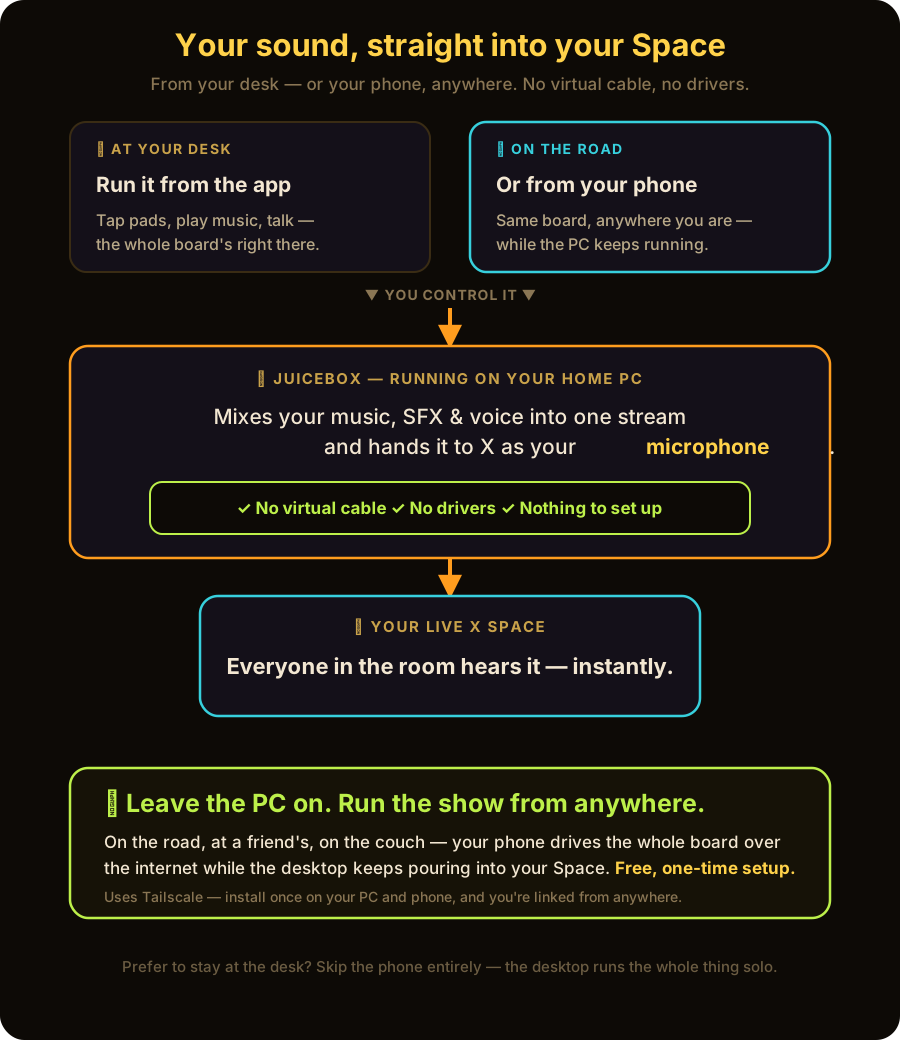
Board → X. No detour. No cable.
No VB-Cable. No BlackHole. Nothing touches your sound card.
Other setups make you install a fake audio device and route your whole computer through it. JUICEBOX doesn't. It patches the mic inside x.com itself — so X hears your mix as if it were your microphone.
Your board pours straight into the Space.
Your system sound stays exactly where it is. Nothing gets remapped.
Under the hood it's a getUserMedia patch — plain version: the Space asks for a mic, JUICEBOX hands it your mix.
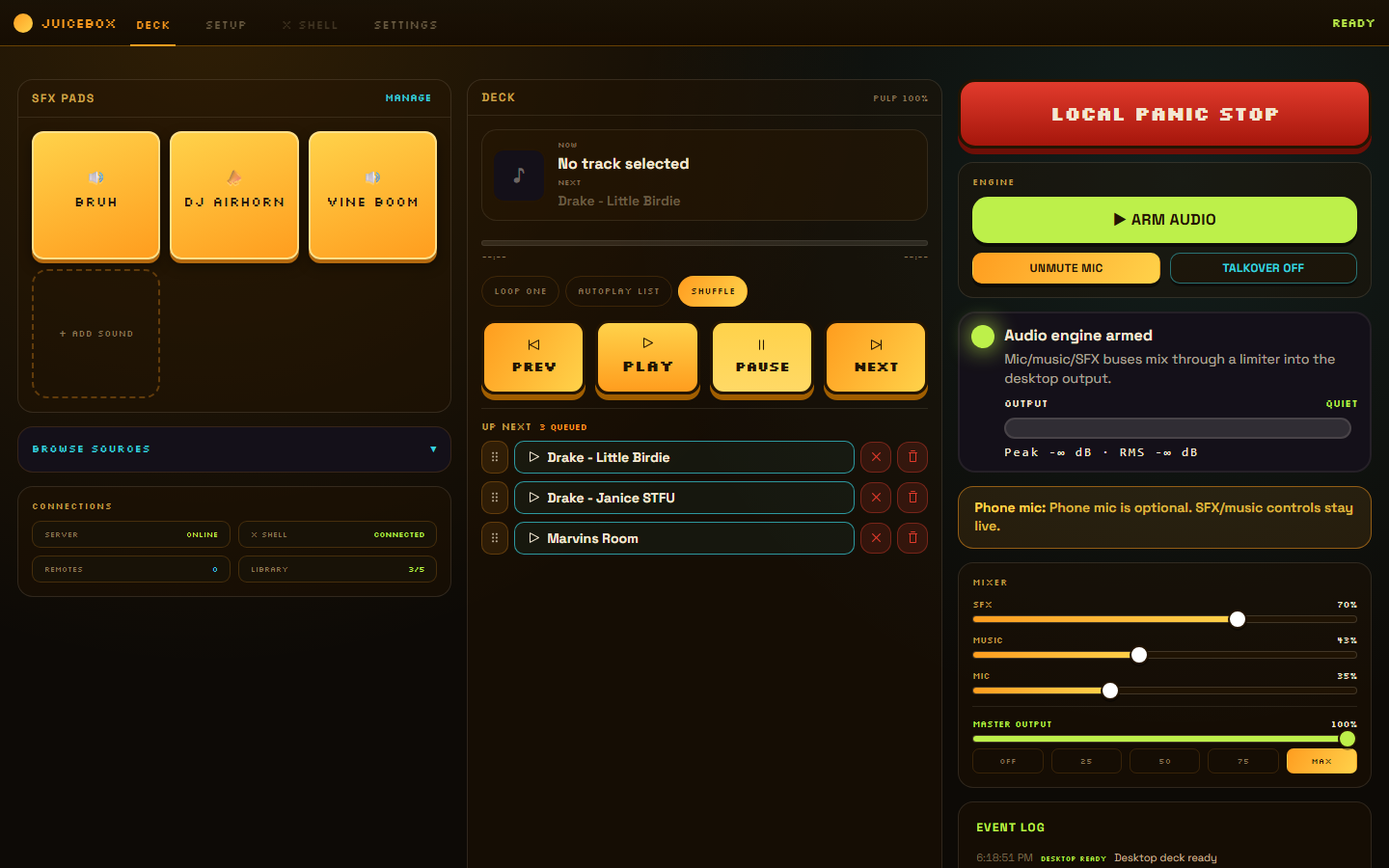
Run the whole show from one window.
x.com lives right inside JUICEBOX — the X Shell. You watch the Space, drop a sting, cue the next track, and ride the faders without ever leaving the app. The desktop does all of it on its own.
X Shell
The Space itself, embedded in the app. Run the room and the board side by side — never alt-tab mid-conversation.
Tardboard Pads
Honks, drops, stings, and airhorns on tap. Tap a pad, it lands in the Space instantly.
Music + UP NEXT
A real music player with a queue. Line up the next track while the current one plays. No dead air between songs.
Faders + TALKOVER
Balance music, SFX, and your voice. Hit TALKOVER and the bed ducks so your words land clean.
Local Monitor
Flip on the local-monitor toggle to hear the whole board in your own headphones — before the Space does.
PANIC
One big red button. Kills every sound at once. Your emergency stop is always one tap away.
No phone required. The desktop runs the entire set.
One big red button kills all sound. Instantly.
Track going sideways? Wrong clip? Hot mic moment? Slam PANIC and everything stops at once — music, pads, voice bed, all of it. It's the safety net that lets you actually go for the bit.
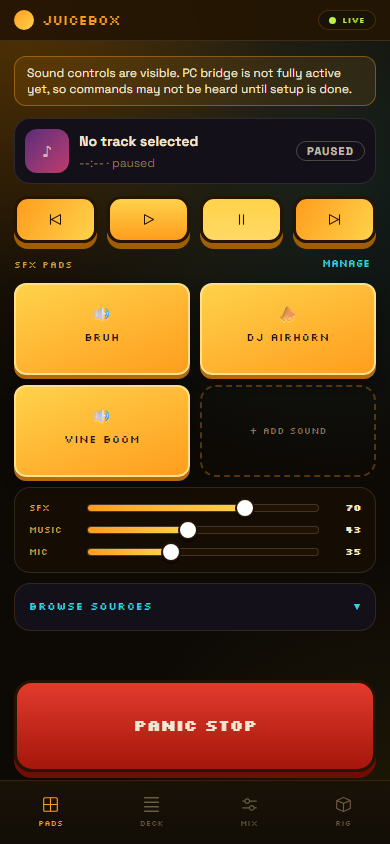
Want to run it from the couch? Your phone becomes a wireless remote.
Totally optional — the desktop already runs the show. But when you'd rather lean back or work the room, pick up your phone and drive the same board from your hand. Four tabs, everything within reach.
Fire your SFX and honks.
Music, UP NEXT, transport.
Faders and TALKOVER.
Monitor, PANIC, and the connection.
On the same Wi-Fi, it just finds your desktop. Out of the house? A guided one-time pairing lets your phone reach the board from anywhere — you follow a few taps once and you're set.
The phone is a bonus. Never a requirement.
Lives on your machine. Nowhere else.
No cloud. No third-party bot in your Space. No subscription. No account. JUICEBOX is an app you own, running on your computer — your show stays yours.
Pour it up. Pick your OS.
Three steps, every time: download, install, open. Then go live.
macOS
.dmg · Apple Silicon + Intel Download for macOSUnsigned for now — right-click → Open the first time. After that it just opens.
V0.1.0 · Free · Local-first